
- Trending Categories
 Data Structure
 Networking
 RDBMS
RDBMS Operating System
 Java
Java MS Excel
 iOS
iOS HTML
HTML CSS
CSS Android
 Python
 C Programming
 C++
C++ C#
C# MongoDB
 MySQL
MySQL Javascript
 PHP
PHP Physics
 Chemistry
 Biology
 Mathematics
 English
 Economics
 Psychology
 Social Studies
 Fashion Studies
 Legal Studies
- Selected Reading
- UPSC IAS Exams Notes
- Developer's Best Practices
- Questions and Answers
- Effective Resume Writing
- HR Interview Questions
- Computer Glossary
- Who is Who
How to work with Scalable Vector Graphics (SVG) in HTML5?
SVG stands for Scalable Vector Graphics and it is a language for describing 2D-graphics and graphical applications in XML and the XML is then rendered by an SVG viewer.
SVG is mostly useful for vector type diagrams like Pie charts, Two-dimensional graphs in an X,Y coordinate system etc.
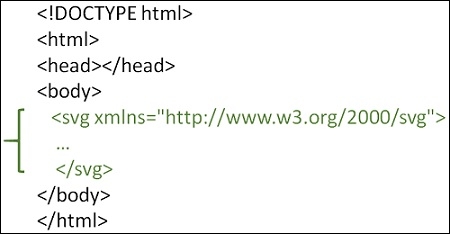
To work with Scalable Vector Graphics (SVG) in HTML5, embed SVG directly using <svg>...</svg> tags with the following syntax −
Syntax
<svg xmlns="http://www.w3.org/2000/svg">
   ...
</svg>
To draw a shape in HTML5 SVG, use
- <circle> element to draw a circle.
- <rect> element to draw a rectangle.
- <line> element to draw a line.
- <ellipse> element to draw and ellipse.
- <polygon> element to draw a polygon.
You can also add SVG to a web page using the <img>, <iframe>, <object> or <embed> tag. Let’s see how to add HTML5 SVG using the <svg> tag.
You can try to run the following code to learn how to work with SVG in HTML5. We will draw a circle here
Example
<!DOCTYPE html>
<html>
   <head>
      <style>
         #svgelem {
            position: relative;
            left: 10%;
            -webkit-transform: translateX(-20%);
            -ms-transform: translateX(-20%);
            transform: translateX(-20%);
         }
      </style>
      <title>HTML5 SVG Circle</title>
   </head>
   <body>
      <h2>HTML5 SVG Circle</h2>
      <svg id="svgelem" height="200" xmlns="http://www.w3.org/2000/svg">
         <circle id="greencircle" cx="60" cy="60" r="50" fill="green" />
      </svg>
   </body>
</html>
Updated on: 2020-02-25T07:50:58+05:30
350 Views

Advertisements