
- Trending Categories
 Data Structure
 Networking
 RDBMS
RDBMS Operating System
 Java
Java MS Excel
 iOS
iOS HTML
HTML CSS
CSS Android
 Python
 C Programming
 C++
C++ C#
C# MongoDB
 MySQL
MySQL Javascript
 PHP
PHP Physics
 Chemistry
 Biology
 Mathematics
 English
 Economics
 Psychology
 Social Studies
 Fashion Studies
 Legal Studies
- Selected Reading
- UPSC IAS Exams Notes
- Developer's Best Practices
- Questions and Answers
- Effective Resume Writing
- HR Interview Questions
- Computer Glossary
- Who is Who
Disable auto resizing to make the JTable horizontal scrollable in Java
To disable auto resizing, you need to use the setAutoResizeMode() method. After that, set the table to AUTO_RESIZE_OFF.
Let’s say the following is our table −
String[][] rec = {
   { "1", "Virat", "840" },
   { "2", "David", "835" },
   { "3", "Shikhar", "656" },
   { "4", "Steve", "530" },
   { "5", "Kane", "515" },
   { "6", "Eion", "509" },
   { "7", "AB de Villiers", "498" },
   { "8", "Quinton", "470" },
   { "9", "Glenn", "410" },
   { "10", "Tom", "360" },
   { "11", "Johnny", "320" },
   { "12", "Shreyas", "280" },
};
String[] header = { "S.NO", "Player", "Runs" }; JTable table = new JTable(rec, header);
Now, disable auto resizing −
table.setAutoResizeMode(JTable.AUTO_RESIZE_OFF);
The following is an example to disable auto resizing to make the JTabel horizonatal scrollable −
Example
package my;
import java.awt.Color;
import javax.swing.BorderFactory;
import javax.swing.JFrame;
import javax.swing.JPanel;
import javax.swing.JScrollPane;
import javax.swing.JTable;
import javax.swing.border.TitledBorder;
public class SwingDemo {
   public static void main(String[] args) {
      JFrame frame = new JFrame();
      JPanel panel = new JPanel();
      panel.setBorder(BorderFactory.createTitledBorder(
         BorderFactory.createEtchedBorder(), "Total Runs", TitledBorder.CENTER, TitledBorder.TOP));
      String[][] rec = {
         { "1", "Virat", "840" },
         { "2", "David", "835" },
         { "3", "Shikhar", "656" },
         { "4", "Steve", "530" },
         { "5", "Kane", "515" },
         { "6", "Eion", "509" },
         { "7", "AB de Villiers", "498" },
         { "8", "Quinton", "470" },
         { "9", "Glenn", "410" },
         { "10", "Tom", "360" },
         { "11", "Johnny", "320" },
         { "12", "Shreyas", "280" },
      };
      String[] header = { "S.NO", "Player", "Runs" }; JTable table = new JTable(rec, header);
      table.setShowGrid(false);
      table.setShowHorizontalLines(true);
      table.setAutoResizeMode(JTable.AUTO_RESIZE_OFF);
      table.setGridColor(Color.orange);
      panel.add(new JScrollPane(table));
      frame.add(panel);
      frame.setSize(550, 400);
      frame.setVisible(true);
   }
}
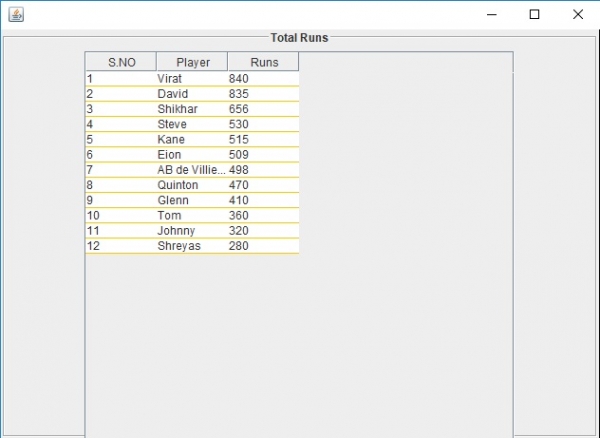
This will produce the following output. Auto resize is off here −
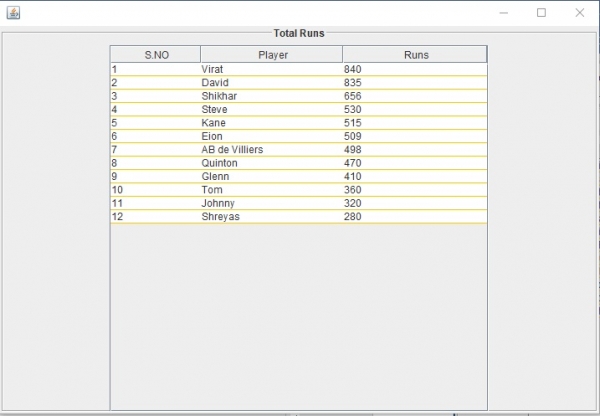
Now, you can drag and resize the table columns −

Updated on: 2019-07-30T22:30:26+05:30
818 Views

Advertisements