
- Trending Categories
 Data Structure
 Networking
 RDBMS
RDBMS Operating System
 Java
Java MS Excel
 iOS
iOS HTML
HTML CSS
CSS Android
 Python
 C Programming
 C++
C++ C#
C# MongoDB
 MySQL
MySQL Javascript
 PHP
PHP Physics
 Chemistry
 Biology
 Mathematics
 English
 Economics
 Psychology
 Social Studies
 Fashion Studies
 Legal Studies
- Selected Reading
- UPSC IAS Exams Notes
- Developer's Best Practices
- Questions and Answers
- Effective Resume Writing
- HR Interview Questions
- Computer Glossary
- Who is Who
Explain Top Hat and Black hat morphological operations in Java.
Morphological operations are the set of operations that process images according to the given shapes.
Erosion − Erosion is a morphological operation during which pixels are removed from the image boundaries.
Dilation − During is a morphological operation during which pixels are added to the image boundaries.
Where the total number of pixels added/removed depends on the dimensions of the structuring element used.
Morphological Opening − During this operation erosion is applied on the given input and on the result dilation is applied. This is used to remove small objects from the foreground of an image.
Morphological Closing − During this operation dilation is applied on the given input and on the result erosion is applied. This is used to remove small objects on an image.
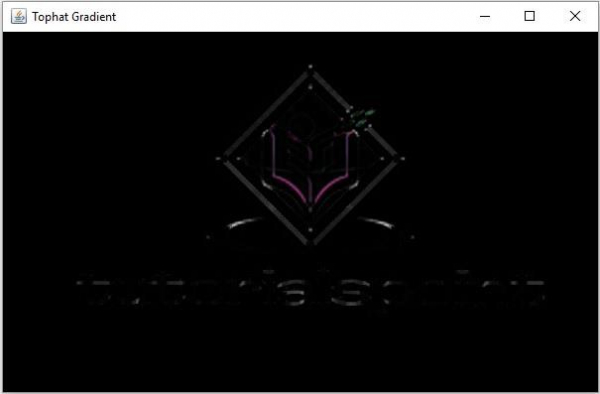
A Morphological Top Hat is a difference between the given image and its opening.
Example
import org.opencv.core.Core;
import org.opencv.core.CvType;
import org.opencv.core.Mat;
import org.opencv.highgui.HighGui;
import org.opencv.imgcodecs.Imgcodecs;
import org.opencv.imgproc.Imgproc;
public class TopHatExample {
   public static void main(String args[]) {
      //Loading the OpenCV core library
      System.loadLibrary( Core.NATIVE_LIBRARY_NAME );
      //Reading image data
      String file ="D:\Images\morph_input1.jpg";
      Mat src = Imgcodecs.imread(file);
      //Creating destination matrix
      Mat dst = new Mat(src.rows(), src.cols(), src.type());
      //Preparing the kernel matrix object
      Mat kernel = Mat.ones(5,5, CvType.CV_32F);
      //Applying dilate on the Image
      Imgproc.morphologyEx(src, dst, Imgproc.MORPH_TOPHAT, kernel);
      //Displaying the image
      HighGui.imshow("Blackhat Gradient", dst);
      HighGui.waitKey();
   }
}
Input Image

Output
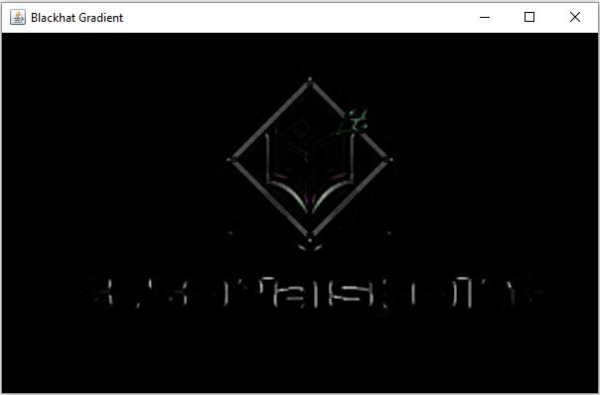
A Morphological Black Hat is a difference between the closing and the given image.
Example
import org.opencv.core.Core;
import org.opencv.core.CvType;
import org.opencv.core.Mat;
import org.opencv.highgui.HighGui;
import org.opencv.imgcodecs.Imgcodecs;
import org.opencv.imgproc.Imgproc;
public class TopHatExample {
   public static void main(String args[]) {
      //Loading the OpenCV core library
      System.loadLibrary( Core.NATIVE_LIBRARY_NAME );
      //Reading image data
      String file ="D:\Images\morph_input1.jpg";
      Mat src = Imgcodecs.imread(file);
      //Creating destination matrix
      Mat dst = new Mat(src.rows(), src.cols(), src.type());
      //Preparing the kernel matrix object
      Mat kernel = Mat.ones(5,5, CvType.CV_32F);
      //Applying dilate on the Image
      Imgproc.morphologyEx(src, dst, Imgproc.MORPH_BLACKHAT, kernel);
      //Displaying the image
      HighGui.imshow("Blackhat Gradient", dst);
      HighGui.waitKey();
   }
}
Input Image

Output

780 Views
