
- Trending Categories
 Data Structure
 Networking
 RDBMS
RDBMS Operating System
 Java
Java MS Excel
 iOS
iOS HTML
HTML CSS
CSS Android
 Python
 C Programming
 C++
C++ C#
C# MongoDB
 MySQL
MySQL Javascript
 PHP
PHP Physics
 Chemistry
 Biology
 Mathematics
 English
 Economics
 Psychology
 Social Studies
 Fashion Studies
 Legal Studies
- Selected Reading
- UPSC IAS Exams Notes
- Developer's Best Practices
- Questions and Answers
- Effective Resume Writing
- HR Interview Questions
- Computer Glossary
- Who is Who
How to auto-generate a step definition to a feature file in Cucumber?
We can auto-generate a step definition file to a feature file in Cucumber. This can be done by using the Tidy Gherkin plugin which is available as a Chrome extension.
Step1− Navigate to the below link to access the Tidy Gherkin plugin.
https://chrome.google.com/webstore/detail/tidygherkin/ nobemmencanophcnicjhfhnjiimegjeo?hl=en-GB
Step2− Then click on the Add to Chrome button.

Step3− Once done, enter chrome://apps/ in the browser. The Tidy Gherkin plugin should be visible.
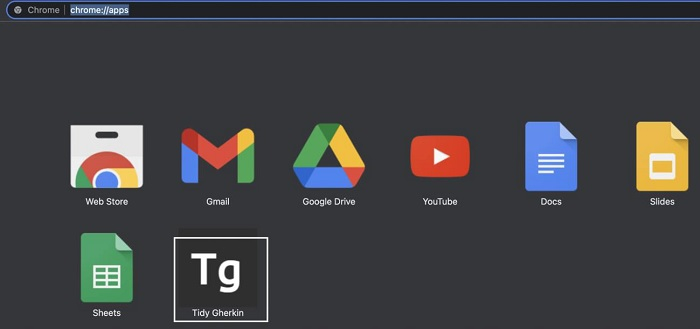
Step4− Click on it to launch it.
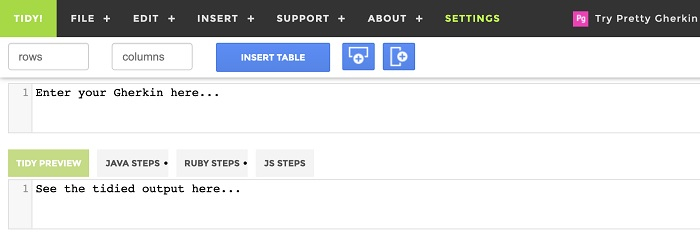
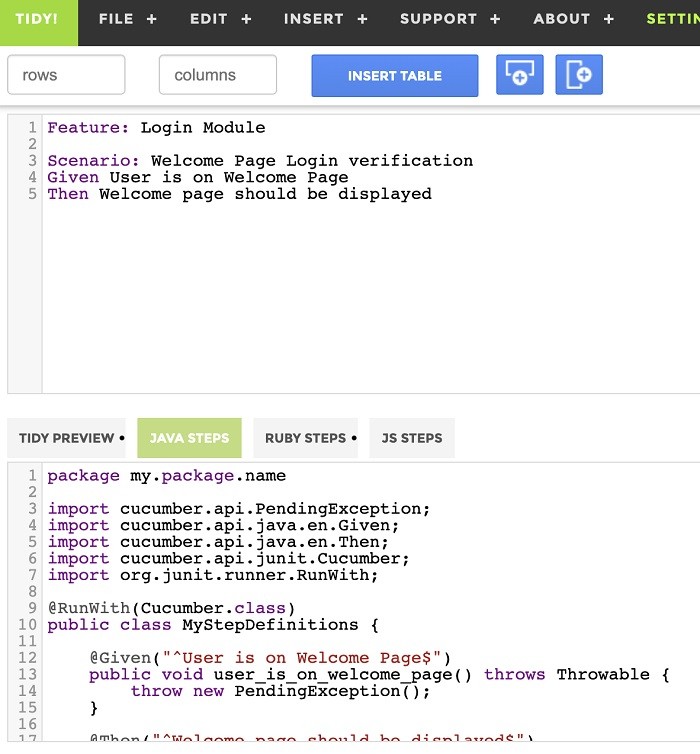
Step5− Copy and paste the feature file that we want to map to a step definition file within the edit box that has the Enter your Gherkin here…. Then click on the JAVA STEPS tab at the bottom to get the corresponding step definition.

Updated on: 2021-11-22T10:37:29+05:30
6K+ Views

Advertisements