
- Trending Categories
 Data Structure
 Networking
 RDBMS
RDBMS Operating System
 Java
Java MS Excel
 iOS
iOS HTML
HTML CSS
CSS Android
 Python
 C Programming
 C++
C++ C#
C# MongoDB
 MySQL
MySQL Javascript
 PHP
PHP Physics
 Chemistry
 Biology
 Mathematics
 English
 Economics
 Psychology
 Social Studies
 Fashion Studies
 Legal Studies
- Selected Reading
- UPSC IAS Exams Notes
- Developer's Best Practices
- Questions and Answers
- Effective Resume Writing
- HR Interview Questions
- Computer Glossary
- Who is Who
How to change JLabel background and foreground color in Java?
To change the JLabel foreground and background color, use the following methods:
JLabel label;
label.setForeground(new Color(120, 90, 40));
label.setBackground(new Color(100, 20, 70));
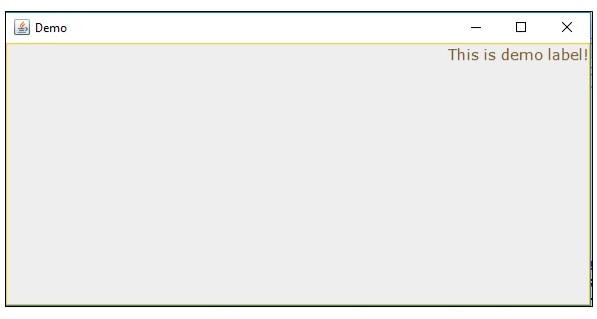
The following is an example to change JLabel background and foreground color:
Example
import java.awt.Color;
import java.awt.Font;
import javax.swing.*;
import javax.swing.border.Border;
public class SwingDemo {
   public static void main(String args[]) {
      JFrame frame = new JFrame("Demo");
      JLabel label;
      label = new JLabel("This is demo label!",JLabel.RIGHT);
      label.setVerticalAlignment(JLabel.TOP);
      label.setFont(new Font("Verdana", Font.PLAIN, 15));
      label.setForeground(new Color(120, 90, 40));
      label.setBackground(new Color(100, 20, 70));
      Border border = BorderFactory.createLineBorder(Color.ORANGE);
      label.setBorder(border);
      frame.add(label);
      frame.setSize(600,300);
      frame.setVisible(true);
   }
}
Output

Updated on: 2019-07-30T22:30:26+05:30
4K+ Views

Advertisements