
- Trending Categories
 Data Structure
 Networking
 RDBMS
RDBMS Operating System
 Java
Java MS Excel
 iOS
iOS HTML
HTML CSS
CSS Android
 Python
 C Programming
 C++
C++ C#
C# MongoDB
 MySQL
MySQL Javascript
 PHP
PHP Physics
 Chemistry
 Biology
 Mathematics
 English
 Economics
 Psychology
 Social Studies
 Fashion Studies
 Legal Studies
- Selected Reading
- UPSC IAS Exams Notes
- Developer's Best Practices
- Questions and Answers
- Effective Resume Writing
- HR Interview Questions
- Computer Glossary
- Who is Who
How to change the tick size using ggplot2 in R?
To change the tick size using ggplot2, we can use theme function with argument axis.ticks.length. For example, if we have a data frame called df that contains two columns say x and y then the scatterplot between x and y with larger size of tick marks can be created by using the below command −
ggplot(df,aes(x,y))+geom_point()+theme(axis.ticks.length=unit(0.8,"inch"))
Example
Consider the below data frame −
x<-rnorm(20)
y<-rnorm(20)
df<-data.frame(x,y)
df
Output
      x              y
1   2.5494830  -0.587904992
2  -0.5864972   0.006669457
3   0.9554755  -3.925291145
4   0.6686948  -2.326550523
5  -0.3267310   0.738981444
6  -0.8751193  -0.438232843
7   0.5477108   0.214512133
8  -0.4767738   0.451001999
9  -0.5364709   0.335897135
10   0.5853087 -0.665692002
11 -1.7818255   0.944527193
12 -0.9670748   0.639372414
13  0.4873353   0.466036727
14  0.3669196   2.732934553
15  0.9450203  -0.201909686
16 -1.1646289  -0.533447384
17 -1.8637459   1.186856615
18 -1.5751590  -1.154048208
19 -0.2266776   1.813758654
20 -0.7125976   0.251823020
Loading ggplot2 package and creating scatterplot between x and y with default size of tick marks −
Example
library(ggplot2)
ggplot(df,aes(x,y))+geom_point()
Output
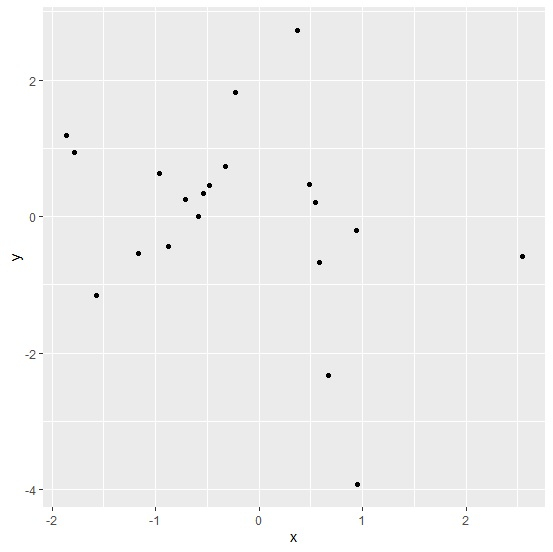
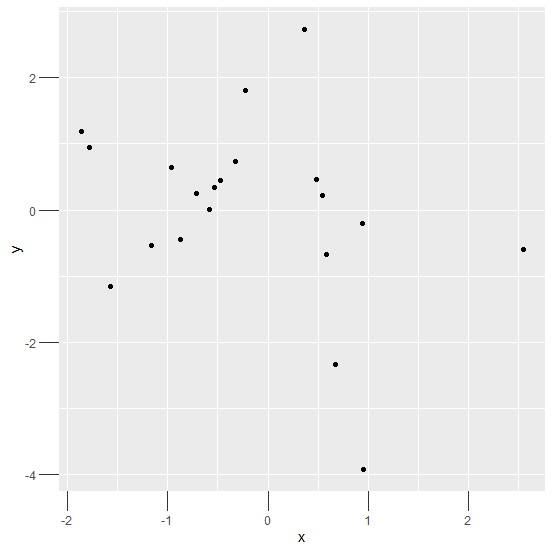
Creating scatterplot between x and y with larger size of tick marks −
Example
ggplot(df,aes(x,y))+geom_point()+theme(axis.ticks.length=unit(0.2,"inch"))
Output
Example
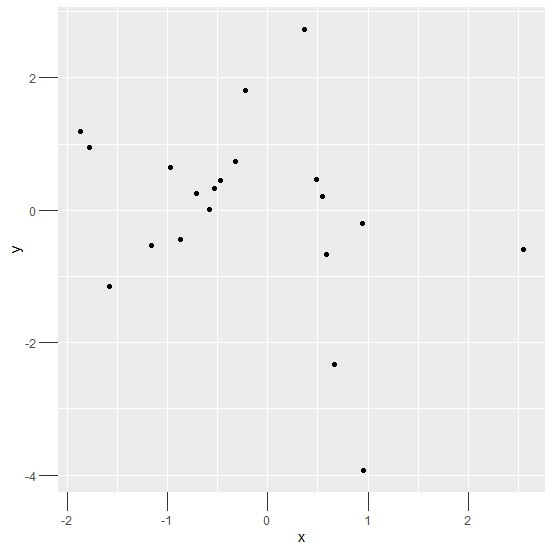
ggplot(df,aes(x,y))+geom_point()+theme(axis.ticks.length=unit(0.50,"cm"))
Output

Updated on: 2021-03-16T10:31:50+05:30
3K+ Views

Advertisements