
- Trending Categories
 Data Structure
 Networking
 RDBMS
RDBMS Operating System
 Java
Java MS Excel
 iOS
iOS HTML
HTML CSS
CSS Android
 Python
 C Programming
 C++
C++ C#
C# MongoDB
 MySQL
MySQL Javascript
 PHP
PHP Physics
 Chemistry
 Biology
 Mathematics
 English
 Economics
 Psychology
 Social Studies
 Fashion Studies
 Legal Studies
- Selected Reading
- UPSC IAS Exams Notes
- Developer's Best Practices
- Questions and Answers
- Effective Resume Writing
- HR Interview Questions
- Computer Glossary
- Who is Who
How to convert dictionary into list of JavaScript objects?
Following is the code to convert dictionary into list of JavaScript objects −
Example
<!DOCTYPE html>
<html lang="en">
<head>
<meta charset="UTF-8" />
<meta name="viewport" content="width=device-width, initial-scale=1.0" />
<title>Document</title>
<style>
   body {
      font-family: "Segoe UI", Tahoma, Geneva, Verdana, sans-serif;
   }
   .sample{
      font-size: 18px;
      font-weight: 500;
      color: rebeccapurple;
   }
</style>
</head>
<body>
<h1>Convert dictionary into list of JavaScript objects</h1>
<div class="sample">
{ A: { 1: "Apple", 2: "Apricot" }, B: { 1: "Ball", 2: "Bull" }, C: { 1:
"Cat", 2: "Cow" }, D: { 1: "Dog", 2: "Drill" }, }
</div>
<button class="Btn">CLICK HERE</button>
<h3>Click the above button to convert the above dictionary into list of object</h3>
<script>
   let BtnEle = document.querySelector(".Btn");
   let arr;
   const obj = {
      A: { 1: "Apple", 2: "Apricot" },
      B: { 1: "Ball", 2: "Bull" },
      C: { 1: "Cat", 2: "Cow" },
      D: { 1: "Dog", 2: "Drill" },
   };
   BtnEle.addEventListener("click", () => {
      arr = Object.values(obj);
      console.log(arr);
   });
</script>
</body>
</html>
Output
The above code will produce the following output −
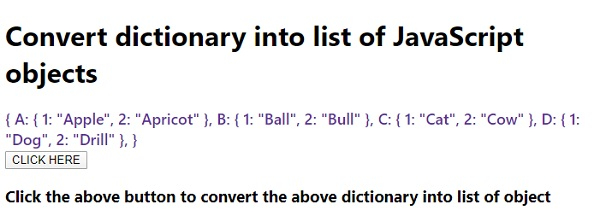
On clicking the ‘CLICK HERE’ button and looking at the output in console −


Updated on: 2020-07-18T08:36:54+05:30
1K+ Views

Advertisements