
- Trending Categories
 Data Structure
 Networking
 RDBMS
RDBMS Operating System
 Java
Java MS Excel
 iOS
iOS HTML
HTML CSS
CSS Android
 Python
 C Programming
 C++
C++ C#
C# MongoDB
 MySQL
MySQL Javascript
 PHP
PHP Physics
 Chemistry
 Biology
 Mathematics
 English
 Economics
 Psychology
 Social Studies
 Fashion Studies
 Legal Studies
- Selected Reading
- UPSC IAS Exams Notes
- Developer's Best Practices
- Questions and Answers
- Effective Resume Writing
- HR Interview Questions
- Computer Glossary
- Who is Who
How to create a Button in JavaFX?
In JavaFX the javafx.scene.control package provides various nodes (classes) specially designed for UI applications and these are re-usable. You can customize these and build view pages for your JavaFX applications. example: Button, CheckBox, Label, etc.
A button is control in user interface applications, in general, on clicking the button it performs the respective action.
You can create a Button by instantiating the javafx.scene.control.Button class of this package and, you can set text to the button using the setText() method.
Example
import javafx.application.Application;
import javafx.scene.Group;
import javafx.scene.Scene;
import javafx.scene.control.Button;
import javafx.scene.paint.Color;
import javafx.stage.Stage;
public class ButtonExample extends Application {
   @Override
   public void start(Stage stage) {
      //Creating a Button
      Button button = new Button();
      //Setting text to the button
      button.setText("Sample Button");
      //Setting the location of the button
      button.setTranslateX(150);
      button.setTranslateY(60);
      //Setting the stage
      Group root = new Group(button);
      Scene scene = new Scene(root, 595, 150, Color.BEIGE);
      stage.setTitle("Button Example");
      stage.setScene(scene);
      stage.show();
   }
   public static void main(String args[]){
      launch(args);
   }
}
Output
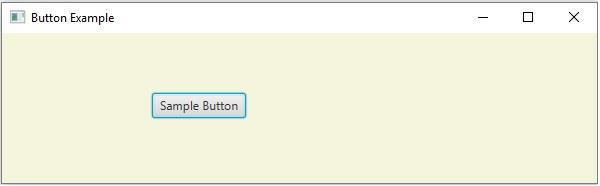

Updated on: 2020-05-16T07:14:43+05:30
5K+ Views

Advertisements