
- Trending Categories
 Data Structure
 Networking
 RDBMS
RDBMS Operating System
 Java
Java MS Excel
 iOS
iOS HTML
HTML CSS
CSS Android
 Python
 C Programming
 C++
C++ C#
C# MongoDB
 MySQL
MySQL Javascript
 PHP
PHP Physics
 Chemistry
 Biology
 Mathematics
 English
 Economics
 Psychology
 Social Studies
 Fashion Studies
 Legal Studies
- Selected Reading
- UPSC IAS Exams Notes
- Developer's Best Practices
- Questions and Answers
- Effective Resume Writing
- HR Interview Questions
- Computer Glossary
- Who is Who
How to detect iOS device UDID, Name, Version, Model by programmatically?
Device UDID stands for Unique device identifier. Every iOS Device has UDID which is a sequence of 40 letters and numbers that is guaranteed to be specific to your device.
Device name is generally a name which will find in the device Setting→ General→ About.
iOS Version is the version on which your current iPhone runs, latest iOS version in 12.2
iOS Model describes whether the iOS device which user is using is an iPhone/iPad.
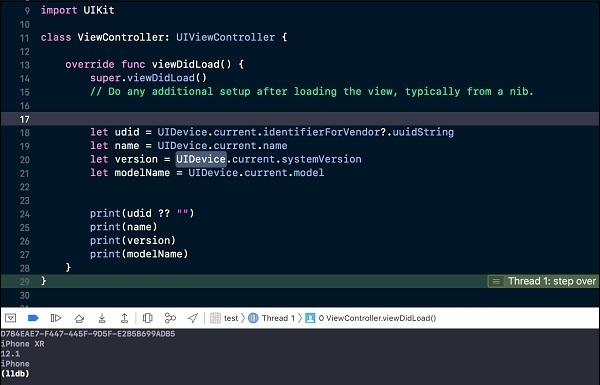
Now will see how to detect UDID, Name, Version and Model programatically.
Open Xcode → New Project and add the below code in ViewController’s viewDidLoad method.
override func viewDidLoad() {
   super.viewDidLoad()
   // Do any additional setup after loading the view, typically from a nib.
   let udid = UIDevice.current.identifierForVendor?.uuidString
   let name = UIDevice.current.name
   let version = UIDevice.current.systemVersion
   let modelName = UIDevice.current.model
   print(udid ?? "")    // D774EAE3F447445F9D5FE2B3B699ADB1
   print(name)          // iPhone XR
   print(version)       // 12.1
   print(modelName)     // iPhone
}

Updated on: 2019-07-30T22:30:25+05:30
2K+ Views

Advertisements