
- Trending Categories
 Data Structure
 Networking
 RDBMS
RDBMS Operating System
 Java
Java MS Excel
 iOS
iOS HTML
HTML CSS
CSS Android
 Python
 C Programming
 C++
C++ C#
C# MongoDB
 MySQL
MySQL Javascript
 PHP
PHP Physics
 Chemistry
 Biology
 Mathematics
 English
 Economics
 Psychology
 Social Studies
 Fashion Studies
 Legal Studies
- Selected Reading
- UPSC IAS Exams Notes
- Developer's Best Practices
- Questions and Answers
- Effective Resume Writing
- HR Interview Questions
- Computer Glossary
- Who is Who
How to draw different shapes using the Python Turtle library?
In this program, we will draw different shapes using the Turtle library in Python. Turtle is a python feature like a drawing board, which lets you command a turtle to draw all over it. The different shapes that we are going to draw are square, rectangle, circle and a hexagon.
Algorithm
Step 1: Take lengths of side for different shapes as input.
Step 2: Use different turtle methods like forward() and left() for drawing different shapes.
Example Code
import turtle
t = turtle.Turtle()

#SQUARE
side = int(input("Length of side: "))
for i in range(4):
   t.forward(side)
   t.left(90)

#RECTANGLE
side_a = int(input("Length of side a: "))
side_b = int(input("Length of side b: "))
t.forward(side_a)
t.left(90)
t.forward(side_b)
t.left(90)
t.forward(side_a)
t.left(90)
t.forward(side_b)
t.left(90)

#CIRCLE
radius = int(input("Radius of circle: "))
t.circle(radius)

#HEXAGON
for i in range(6):
   t.forward(side)
   t.left(300)
Output
SQUARE: Length of side: 100RECTANGLE: Length of side a: 100 Length of side b: 20
CIRCLE: Radius of circle: 60
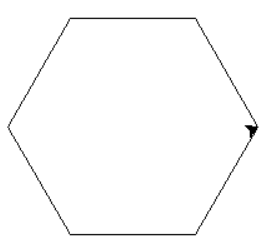
HEXAGON:Length of side: 100

Updated on: 2021-03-16T10:08:58+05:30
3K+ Views

Advertisements