
- Trending Categories
 Data Structure
 Networking
 RDBMS
RDBMS Operating System
 Java
Java MS Excel
 iOS
iOS HTML
HTML CSS
CSS Android
 Python
 C Programming
 C++
C++ C#
C# MongoDB
 MySQL
MySQL Javascript
 PHP
PHP Physics
 Chemistry
 Biology
 Mathematics
 English
 Economics
 Psychology
 Social Studies
 Fashion Studies
 Legal Studies
- Selected Reading
- UPSC IAS Exams Notes
- Developer's Best Practices
- Questions and Answers
- Effective Resume Writing
- HR Interview Questions
- Computer Glossary
- Who is Who
How to Install Newman using NPM?
We can install Newman using npm. Newman can be installed using npm and Node.js. To download Node.js, navigate to the link − https://nodejs.org/en/download/current/.
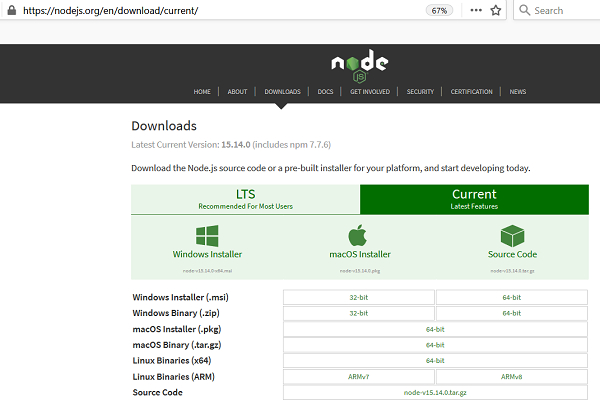
As we have downloaded Node.js successfully, we can check it with the below command −
In Windows
node --v
In Linux
node --version

The npm package becomes available automatically on installing Node.js. We can check it with the below command −
In Windows
npm --v
In Linux
npm --version
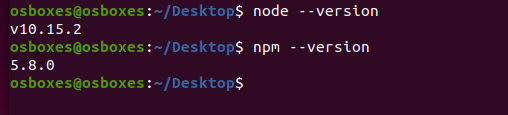
Finally to install Newman, run the below command −
For Windows
newman --v
For Linux
newman --version

Updated on: 2021-06-25T13:39:59+05:30
2K+ Views

Advertisements