
- Trending Categories
 Data Structure
 Networking
 RDBMS
RDBMS Operating System
 Java
Java MS Excel
 iOS
iOS HTML
HTML CSS
CSS Android
 Python
 C Programming
 C++
C++ C#
C# MongoDB
 MySQL
MySQL Javascript
 PHP
PHP Physics
 Chemistry
 Biology
 Mathematics
 English
 Economics
 Psychology
 Social Studies
 Fashion Studies
 Legal Studies
- Selected Reading
- UPSC IAS Exams Notes
- Developer's Best Practices
- Questions and Answers
- Effective Resume Writing
- HR Interview Questions
- Computer Glossary
- Who is Who
How to keep the window focus on the new Toplevel() window in Tkinter?
Tkinter toplevel class contains toplevel window which is a child window other than the main window. Whenever we create a toplevel window, it just appears above the main window along with the widgets defined in it.
To keep the window toplevel window focused, we can use grab_set() method. It always keeps the toplevel window above all the other windows.
Example
#Import the tkinter library
from tkinter import *

#Create an instance of tkinter frame
win = Tk()
win.geometry("700x350")

def open_win():
   top = Toplevel(win)
   top.geometry("700x250")
   Label(top, text= "Hey Folks!", font= ('Helvetica 14 bold')).pack()
   top.grab_set()

#Create a Label to print the Name
label= Label(win, text="Click the below Button to open the Popup", font= ('Helvetica 18 bold'))
label.pack(pady= 30)

#Create a Button
button= Button(win, text= "Click Me", command= open_win, font= ('Helvetica 14 bold'), foreground= 'OrangeRed3', background= "white")
button.pack(pady=50)
win.mainloop()
Output
Running the above code will display a window that contains a button to open the Popup window.
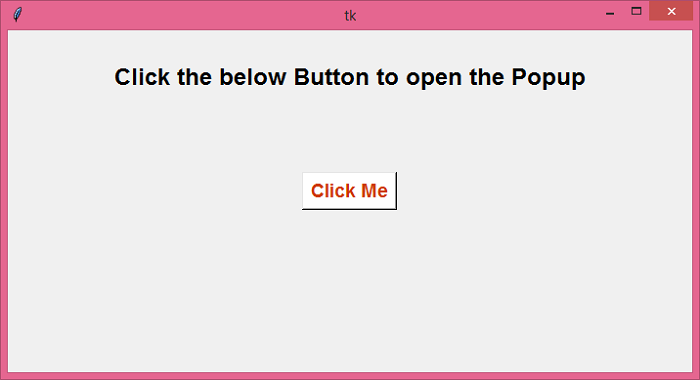
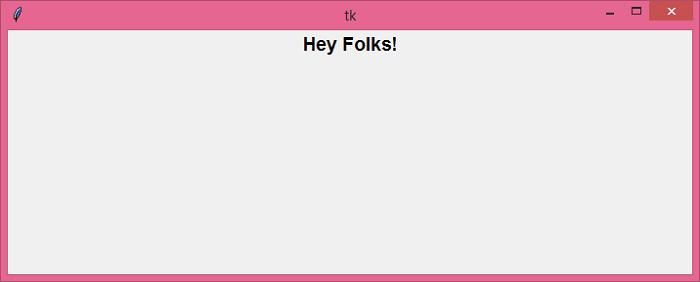
Now, click the button to open a Popup window.

Updated on: 2021-05-25T09:11:27+05:30
7K+ Views

Advertisements