
- Trending Categories
 Data Structure
 Networking
 RDBMS
RDBMS Operating System
 Java
Java MS Excel
 iOS
iOS HTML
HTML CSS
CSS Android
 Python
 C Programming
 C++
C++ C#
C# MongoDB
 MySQL
MySQL Javascript
 PHP
PHP Physics
 Chemistry
 Biology
 Mathematics
 English
 Economics
 Psychology
 Social Studies
 Fashion Studies
 Legal Studies
- Selected Reading
- UPSC IAS Exams Notes
- Developer's Best Practices
- Questions and Answers
- Effective Resume Writing
- HR Interview Questions
- Computer Glossary
- Who is Who
How to make phone call in iOS 10 using Swift?
In this post we will be seeing how to make phone in iOS programmatically.
So let’s get started.
Step 1 − Open Xcode → New Project → Single View Application → Let’s name it “MakeCall”
Step 2 − Open Main.storyboard and add one text field and one button as shown below
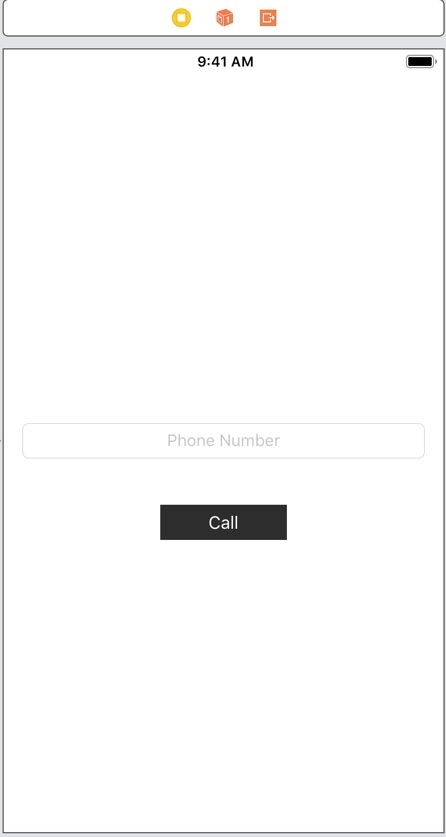
Step 3 − Create @IBOutlet for the text field, name it phoneNumberTextfield.
Step 4 − Create @IBAction method callButtonClicked for call button
Step 5 − To make a call we can use iOS openURL. In callButtonClicked add following lines
if let url = URL(string: "tel://\(phoneNumberTextfield.text!)"),
UIApplication.shared.canOpenURL(url) {
UIApplication.shared.open(url, options: [:], completionHandler: nil)
Step 6 − Run the app and enter the number you want to make call to as shown in the pic below
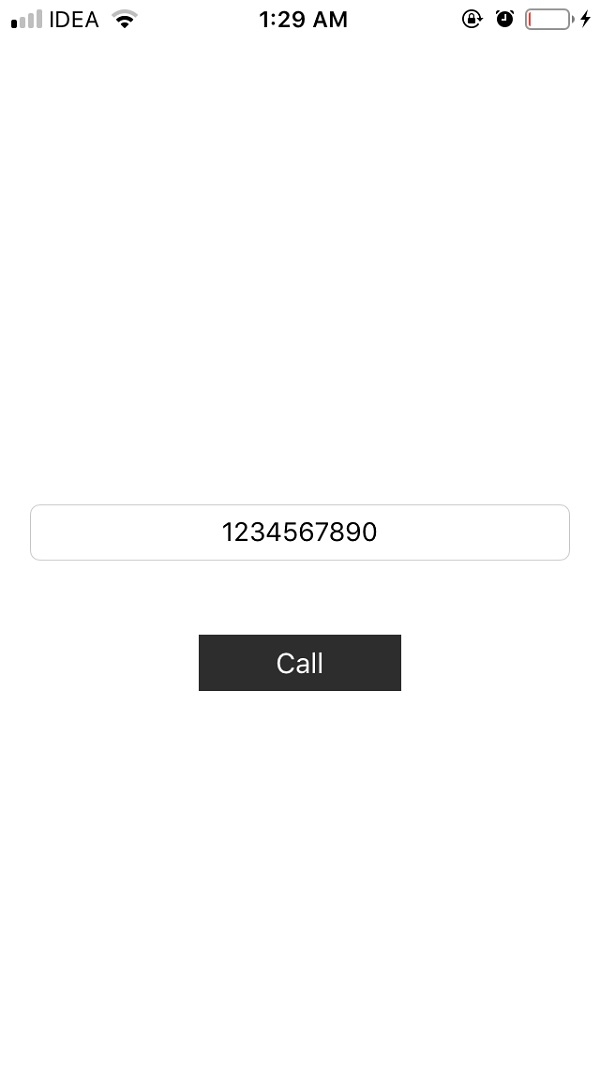
Step 7 − Click on the call button, you will be shown an alert with ‘Call’ and ‘Cancel’ options
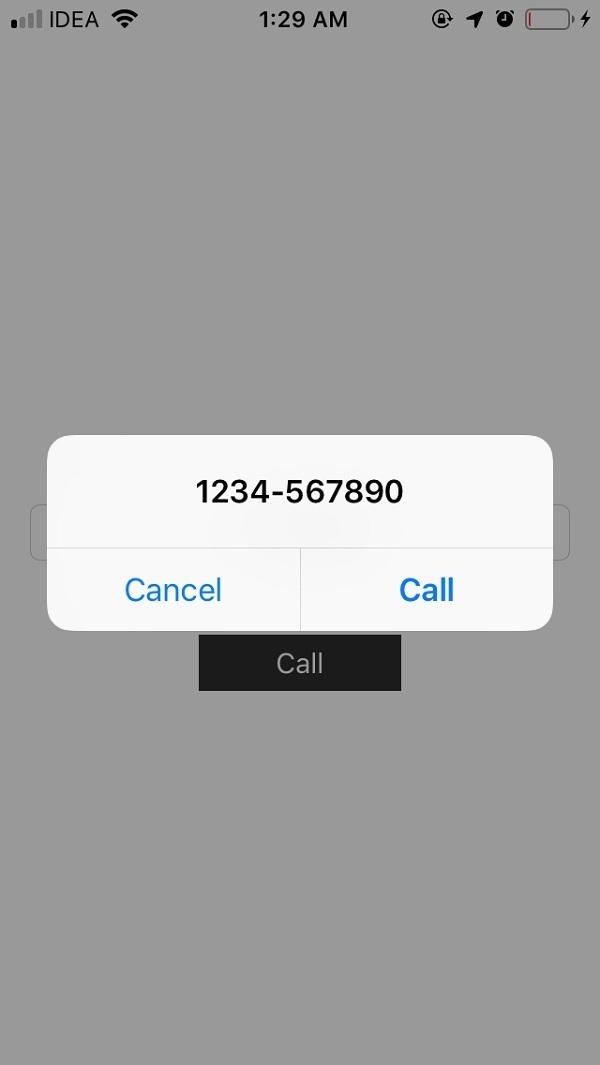
Step 8 − Click on the call button, the call will be made to the number, as shown below


2K+ Views
