
- Trending Categories
 Data Structure
 Networking
 RDBMS
RDBMS Operating System
 Java
Java MS Excel
 iOS
iOS HTML
HTML CSS
CSS Android
 Python
 C Programming
 C++
C++ C#
C# MongoDB
 MySQL
MySQL Javascript
 PHP
PHP Physics
 Chemistry
 Biology
 Mathematics
 English
 Economics
 Psychology
 Social Studies
 Fashion Studies
 Legal Studies
- Selected Reading
- UPSC IAS Exams Notes
- Developer's Best Practices
- Questions and Answers
- Effective Resume Writing
- HR Interview Questions
- Computer Glossary
- Who is Who
How to open chrome default profile with selenium?
We can open Chrome default profile with Selenium. To get the Chrome profile path, we need to input chrome://version/ in the Chrome browser and then press enter.
We need to use the ChromeOptions class to open the default Chrome profile. We need to use the add_argument method to specify the path of the Chrome profile.
Syntax
o = webdriver.ChromeOptions()
o.add_argument = {'user-data-dir':'/Users/Application/Chrome/Default'}
Example
Code Implementation
from selenium import webdriver
#object of ChromeOptions class
o = webdriver.ChromeOptions()
#adding Chrome Profile Path
o.add_argument = {'user-data-dir':'/Users/Application/Chrome/Default'}
#set chromedriver.exe path
driver = webdriver.Chrome(executable_path="C:\chromedriver.exe", options=o)
#maximize browser
driver.maximize_window()
#launch URL
driver.get("https://www.tutorialspoint.com/index.htm")
#get browser title
print(driver.title)
#quit browser
driver.quit()
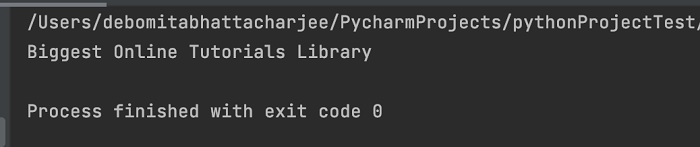
Output

Updated on: 2021-11-17T12:16:00+05:30
12K+ Views

Advertisements