
- Trending Categories
 Data Structure
 Networking
 RDBMS
RDBMS Operating System
 Java
Java MS Excel
 iOS
iOS HTML
HTML CSS
CSS Android
 Python
 C Programming
 C++
C++ C#
C# MongoDB
 MySQL
MySQL Javascript
 PHP
PHP Physics
 Chemistry
 Biology
 Mathematics
 English
 Economics
 Psychology
 Social Studies
 Fashion Studies
 Legal Studies
- Selected Reading
- UPSC IAS Exams Notes
- Developer's Best Practices
- Questions and Answers
- Effective Resume Writing
- HR Interview Questions
- Computer Glossary
- Who is Who
How to remove the label on the left side in matplotlib.pyplot pie charts?
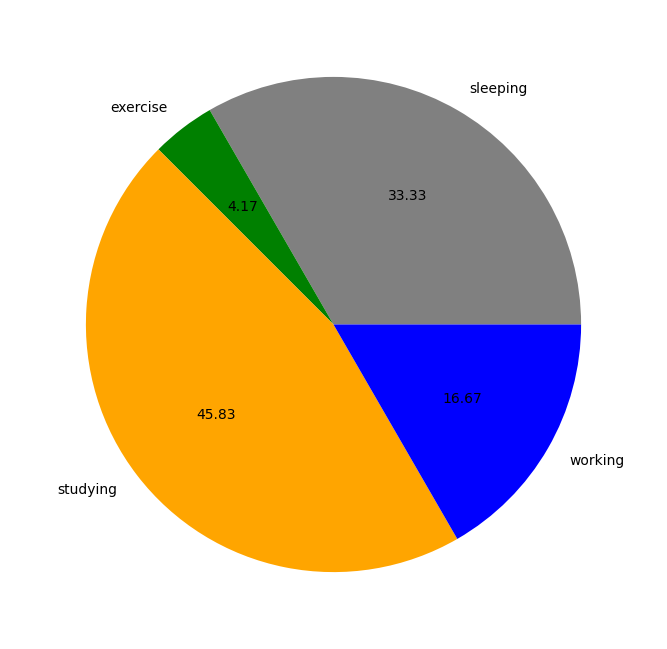
To remove the label on the left side in a matplotlib pie chart, we can take the following steps −
Create lists of hours, activities, and colors.
Plot a pie chart using pie() method.
To hide the label on the left side in matplotlib, we can use plt.ylabel("") with ablank string.
Example
import matplotlib.pyplot as plt
plt.rcParams["figure.figsize"] = [7.00, 3.50]
plt.rcParams["figure.autolayout"] = True
hours = [8, 1, 11, 4]
activities = ['sleeping', 'exercise', 'studying', 'working']
colors = ["grey", "green", "orange", "blue"]
plt.pie(hours, labels=activities, colors=colors, autopct="%.2f")
plt.ylabel("")
plt.show()
Output

Updated on: 2021-05-11T12:11:13+05:30
3K+ Views

Advertisements