
- Trending Categories
 Data Structure
 Networking
 RDBMS
RDBMS Operating System
 Java
Java MS Excel
 iOS
iOS HTML
HTML CSS
CSS Android
 Python
 C Programming
 C++
C++ C#
C# MongoDB
 MySQL
MySQL Javascript
 PHP
PHP Physics
 Chemistry
 Biology
 Mathematics
 English
 Economics
 Psychology
 Social Studies
 Fashion Studies
 Legal Studies
- Selected Reading
- UPSC IAS Exams Notes
- Developer's Best Practices
- Questions and Answers
- Effective Resume Writing
- HR Interview Questions
- Computer Glossary
- Who is Who
How to set new id attribute with jQuery?
To implement this, extract id from attr() and use replace() to replace the id attribute.
Example
Following is the code −
<!DOCTYPE html>
<html lang="en">
<head>
   <meta charset="UTF-8">
   <meta name="viewport" content="width=device-width, initial-scale=1.0">
   <title>Document</title>
</head>
<link rel="stylesheet" href="//code.jquery.com/ui/1.12.1/themes/base/jquery-ui.css">
<script src="https://code.jquery.com/jquery-1.12.4.js"></script>
<script src="https://code.jquery.com/ui/1.12.1/jquery-ui.js"></script>
<body>
   <div id="first-name">
</body>
<script>
   $('[id*="-"]').each(function () {
      console.log('Previous Id attribute: ' + $(this).attr('id'));
      $(this).attr('id', $(this).attr('id').replace('-', '----'));
      console.log('Now Id Attribute: ' + $(this).attr('id'));
   });
</script>
</html>
To run the above program, save the file name “anyName.html(index.html)”. Right click on the file and select the option “Open with Live Server” in VS Code editor.
Output
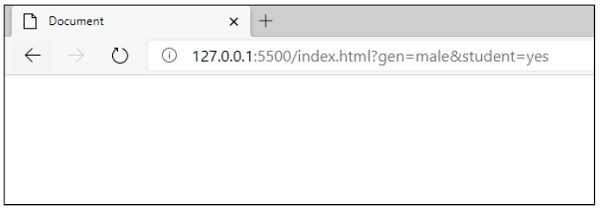
This will produce the following output −
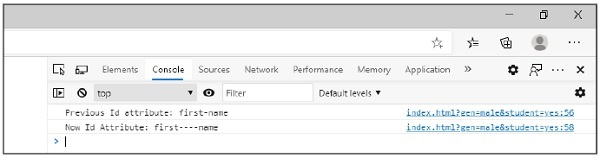
Following is the value on console −

Updated on: 2020-11-09T10:49:58+05:30
2K+ Views

Advertisements