
- Trending Categories
 Data Structure
 Networking
 RDBMS
RDBMS Operating System
 Java
Java MS Excel
 iOS
iOS HTML
HTML CSS
CSS Android
 Python
 C Programming
 C++
C++ C#
C# MongoDB
 MySQL
MySQL Javascript
 PHP
PHP Physics
 Chemistry
 Biology
 Mathematics
 English
 Economics
 Psychology
 Social Studies
 Fashion Studies
 Legal Studies
- Selected Reading
- UPSC IAS Exams Notes
- Developer's Best Practices
- Questions and Answers
- Effective Resume Writing
- HR Interview Questions
- Computer Glossary
- Who is Who
How to toggle between hiding and showing an element with JavaScript?
To toggle between hiding and showing an element with JavaScript, the code is as follows −
Example
<!DOCTYPE html>
<html>
<head>
<meta name="viewport" content="width=device-width, initial-scale=1" />
<style>
   body {
      font-family: "Segoe UI", Tahoma, Geneva, Verdana, sans-serif;
   }
   button {
      padding: 10px;
      border: none;
      background-color: rgb(51, 51, 192);
      color: white;
      font-size: 18px;
   }
   .div-visible {
      width: 100%;
      padding: 50px 0;
      text-align: center;
      background-color: rgb(210, 230, 173);
      margin-top: 20px;
      font-size: 18px;
      font-weight: 500;
   }
</style>
</head>
<body>
<h1>Toggle hide and show example</h1>
<button class="toggleDisplay">Hide Div</button>
<h2>Click on the above button to hide the div below</h2>
<div class="div-visible">
This is a div element
</div>
<script>
   document .querySelector(".toggleDisplay") .addEventListener("click", toggleDivDisplay);
   function toggleDivDisplay() {
      var x = document.querySelector(".div-visible");
      if (x.style.display === "none") {
         x.style.display = "block";
      } else {
         x.style.display = "none";
      }
   }
</script>
</body>
</html>
Output
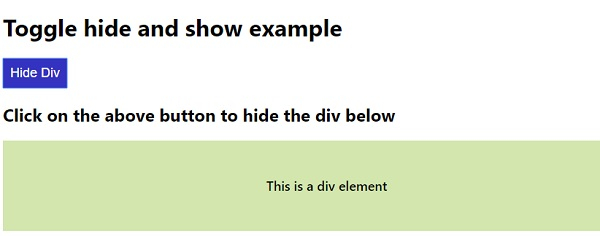
The above code will produce the following output −
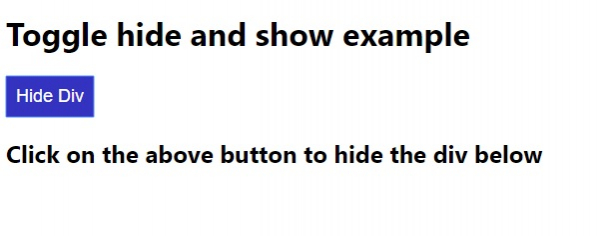
On clicking the “Hide Div” button −

Updated on: 2020-05-08T13:23:28+05:30
930 Views

Advertisements