
- Trending Categories
 Data Structure
 Networking
 RDBMS
RDBMS Operating System
 Java
Java MS Excel
 iOS
iOS HTML
HTML CSS
CSS Android
 Python
 C Programming
 C++
C++ C#
C# MongoDB
 MySQL
MySQL Javascript
 PHP
PHP Physics
 Chemistry
 Biology
 Mathematics
 English
 Economics
 Psychology
 Social Studies
 Fashion Studies
 Legal Studies
- Selected Reading
- UPSC IAS Exams Notes
- Developer's Best Practices
- Questions and Answers
- Effective Resume Writing
- HR Interview Questions
- Computer Glossary
- Who is Who
How to turn off spell checking (grammar correction) for HTML form elements?
To turn off spell check for form elements, the code is as follows −
Example
<!DOCTYPE html>
<html>
<head>
<h1>Disabling Spellcheck Example</h1>
<form>
<p>Your Name:</p>
<input type="text" name="fname" spellcheck="false">
<p>About Yourself</p>
<textarea name="about you" spellcheck="true"></textarea><br>
<input type="submit">
</form>
<h2>Type wrong spelling in the above input field to see spellcheck in action</h2>
</body>
</html>
Output
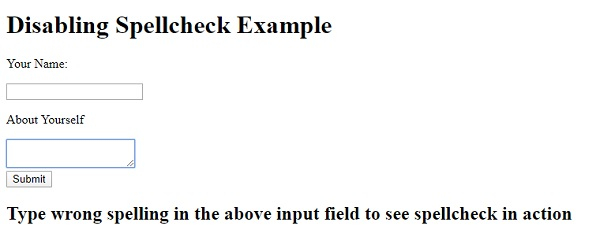
The above code will produce the following output −
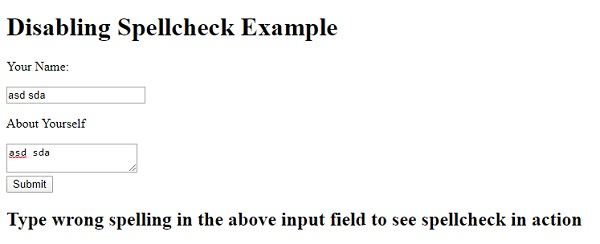
On typing something in the input fields −

Updated on: 2020-05-06T14:07:54+05:30
160 Views

Advertisements