
- Trending Categories
 Data Structure
 Networking
 RDBMS
RDBMS Operating System
 Java
Java MS Excel
 iOS
iOS HTML
HTML CSS
CSS Android
 Python
 C Programming
 C++
C++ C#
C# MongoDB
 MySQL
MySQL Javascript
 PHP
PHP Physics
 Chemistry
 Biology
 Mathematics
 English
 Economics
 Psychology
 Social Studies
 Fashion Studies
 Legal Studies
- Selected Reading
- UPSC IAS Exams Notes
- Developer's Best Practices
- Questions and Answers
- Effective Resume Writing
- HR Interview Questions
- Computer Glossary
- Who is Who
How to use prepared statement for select query in Java with MySQL?
You need to use executeQuery() for this. The syntax is as follows −
yourPreparedStatementObject=yourConnectionObject.prepareStatement(yourQueryName);
yourresultSetObject=yourPreparedStatementObject.executeQuery();
Create a table in the database ‘sample’. The query to create a table is as follows −
mysql> create table JavaPreparedStatement
   -> (
   -> Id int,
   -> Name varchar(10),
   -> Age int
   -> );
Query OK, 0 rows affected (0.89 sec)
Insert some records in the table using insert command. The query is as follows −
mysql> insert into JavaPreparedStatement values(1,'Larry',23);
Query OK, 1 row affected (0.16 sec)
mysql> insert into JavaPreparedStatement values(2,'Sam',25);
Query OK, 1 row affected (0.21 sec)
mysql> insert into JavaPreparedStatement values(3,'Mike',26);
Query OK, 1 row affected (0.12 sec)
Now you can display all records of the table using Java PreparedStatement. You need to use the executeQuery() method.
Here is the Java code −
import java.sql.Connection;
import java.sql.DriverManager;
import java.sql.PreparedStatement;
import java.sql.ResultSet;
public class PreparedStatementSelectQueryDemo {
   public static void main(String[] args) {
      String JdbcURL = "jdbc:mysql://localhost:3306/sample?useSSL=false";
      String Username = "root";
      String password = "123456";
      Connection con = null;
      PreparedStatement pstmt = null;
      ResultSet rst = null;
      String myQuery = "select Id,Name,Age from JavaPreparedStatement";
      try {
         con = DriverManager.getConnection(JdbcURL, Username, password);
         pstmt = con.prepareStatement(myQuery);
         rst = pstmt.executeQuery();
         System.out.println("Id\t\tName\t\tAge\n");
         while(rst.next()) {
            System.out.print(rst.getInt(1));
            System.out.print("\t\t"+rst.getString(2));
            System.out.print("\t\t"+rst.getInt(3));
            System.out.println();
         }
      } catch(Exception exec) {
         exec.printStackTrace();
      }
   }
}
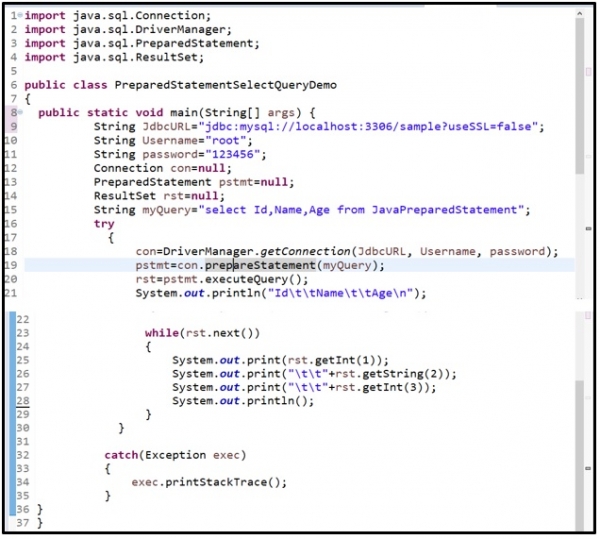
Here is the snapshot of Java code −
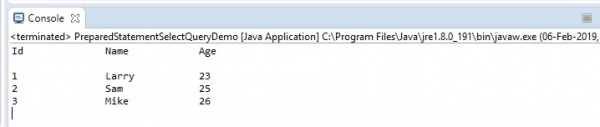
Here is the snapshot of sample output −

Updated on: 2019-07-30T22:30:25+05:30
8K+ Views

Advertisements