
- Trending Categories
 Data Structure
 Networking
 RDBMS
RDBMS Operating System
 Java
Java MS Excel
 iOS
iOS HTML
HTML CSS
CSS Android
 Python
 C Programming
 C++
C++ C#
C# MongoDB
 MySQL
MySQL Javascript
 PHP
PHP Physics
 Chemistry
 Biology
 Mathematics
 English
 Economics
 Psychology
 Social Studies
 Fashion Studies
 Legal Studies
- Selected Reading
- UPSC IAS Exams Notes
- Developer's Best Practices
- Questions and Answers
- Effective Resume Writing
- HR Interview Questions
- Computer Glossary
- Who is Who
How to use rgb color codes in tkinter?
Tkinter has many inbuilt features and attributes that help the application developer to build a robust and featured application. We can set the attributes such as background color, foreground color, and other properties of a widget using the configure method in Tkinter.
To set the background color or foreground color of a widget, we can use both default and RGB color codes. RGB is defined by the 6 digit alphanumeric character containing different digits of R, G, B values. In order to use RGB color codes in tkinter, we have to define it using the format #aab123.
Example
# Import the required libraries
from tkinter import *
from tkinter import ttk

# Create an instance of tkinter frame
win = Tk()

# Set the size of the tkinter window
win.geometry("700x350")

# Configure the color of the window
win.configure(bg='#65A8E1')

# Define the style for combobox widget
style = ttk.Style()
style.theme_use('xpnative')

# Define an event to close the window
def close_win(e):
   win.destroy()

# Add a label widget
label = ttk.Label(win, text="Eat, Sleep, Code and Repeat", font=('Times New Roman italic', 22), background="black", foreground="white")
label.place(relx=.5, rely=.5, anchor=CENTER)

win.mainloop()
Output
Executing the above code will display a window with some customized background color.
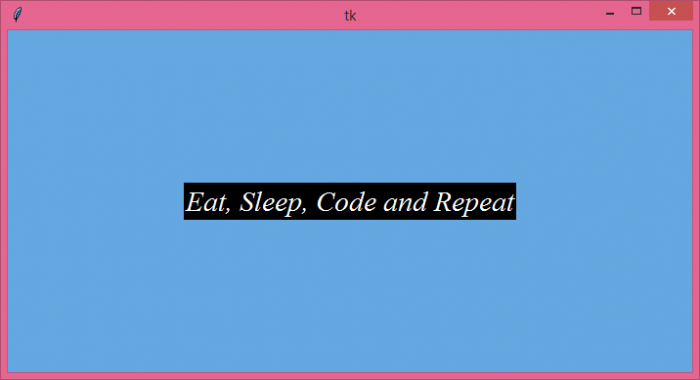
Now, find a new color code to change the background color of the window.

Updated on: 2021-06-08T10:09:02+05:30
7K+ Views

Advertisements