
- Trending Categories
 Data Structure
 Networking
 RDBMS
RDBMS Operating System
 Java
Java MS Excel
 iOS
iOS HTML
HTML CSS
CSS Android
 Python
 C Programming
 C++
C++ C#
C# MongoDB
 MySQL
MySQL Javascript
 PHP
PHP Physics
 Chemistry
 Biology
 Mathematics
 English
 Economics
 Psychology
 Social Studies
 Fashion Studies
 Legal Studies
- Selected Reading
- UPSC IAS Exams Notes
- Developer's Best Practices
- Questions and Answers
- Effective Resume Writing
- HR Interview Questions
- Computer Glossary
- Who is Who
HTML currentTarget Event Property
The currentTarget event property in HTML is used to get the element whose event listeners triggered the event.
Following is the syntax −
event.currentTarget
Let us now see an example to implement the currentTarget event property −
Example
<!DOCTYPE html>
<html>
<body>
<h2>Get the element</h2>
<p onclick="myFunction(event)">Click on this line to generate an alert box displaying the element whose eventlistener triggered the event.</p>
<script>
   function myFunction(event) {
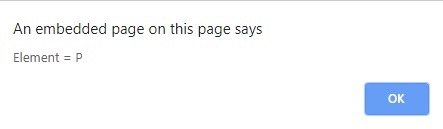
      alert("Element = "+event.currentTarget.nodeName);
   }
</script>
</body>
</html>
Output
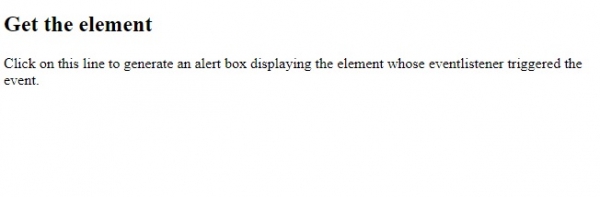
Now double click on the line as shown in the above screenshot to generate an alert box that would display the element whose event listeners triggered the event −

Updated on: 2019-07-30T22:30:26+05:30
146 Views

Advertisements