
- Trending Categories
 Data Structure
 Networking
 RDBMS
RDBMS Operating System
 Java
Java MS Excel
 iOS
iOS HTML
HTML CSS
CSS Android
 Python
 C Programming
 C++
C++ C#
C# MongoDB
 MySQL
MySQL Javascript
 PHP
PHP Physics
 Chemistry
 Biology
 Mathematics
 English
 Economics
 Psychology
 Social Studies
 Fashion Studies
 Legal Studies
- Selected Reading
- UPSC IAS Exams Notes
- Developer's Best Practices
- Questions and Answers
- Effective Resume Writing
- HR Interview Questions
- Computer Glossary
- Who is Who
HTML DOM Input Submit name property
The HTML DOM Input Submit name property is used for setting or returning the name attribute of a submit button. The name attribute helps in identifying the form data after it has been submitted to the server.
Syntax
Following is the syntax for −
Setting the name property −
submitObject.name = name
Here, name is for specifying the submit button name.
Example
Let us look at an example for the Submit name property −
<!DOCTYPE html>
<html>
<body>
<h1>Input submit name Property</h1>
<form style="border:solid 2px green;padding:2px">
UserName: <input type="text" id="USR"> <br>
Location: <input type="text" id="Loc"> <br><br>
<input type="submit" id="SUBMIT1" name="BTN1">
</form>
<p>Change the name of the above submit button by clicking the below button</p>
<button type="button" onclick="changeName()">CHANGE NAME</button>
<p id="Sample"></p>
<script>
   function changeName() {
      document.getElementById("SUBMIT1").name ="SUB_BTN" ;
      document.getElementById("Sample").innerHTML = "Submit Button name is now SUB_BTN";
   }
</script>
</body>
</html>
Output
This will produce the following output −
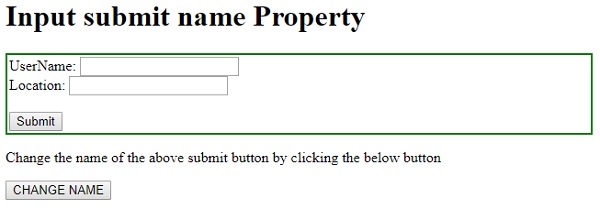
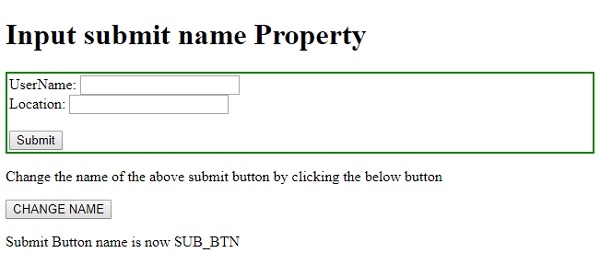
On clicking the CHANGE NAME button −

Updated on: 2021-02-19T05:49:16+05:30
137 Views

Advertisements