
- Trending Categories
 Data Structure
 Networking
 RDBMS
RDBMS Operating System
 Java
Java MS Excel
 iOS
iOS HTML
HTML CSS
CSS Android
 Python
 C Programming
 C++
C++ C#
C# MongoDB
 MySQL
MySQL Javascript
 PHP
PHP Physics
 Chemistry
 Biology
 Mathematics
 English
 Economics
 Psychology
 Social Studies
 Fashion Studies
 Legal Studies
- Selected Reading
- UPSC IAS Exams Notes
- Developer's Best Practices
- Questions and Answers
- Effective Resume Writing
- HR Interview Questions
- Computer Glossary
- Who is Who
HTML onblur Event Attribute
The HTML onblur attribute is used when an HTML element loses focus in an HTML document.
Syntax
Following is the syntax −
<tagname onblur=”script”></tagname>
Example
Let us see an example of HTML onblur event Attribute −
<!DOCTYPE html>
<html>
<head>
<meta name="viewport" content="width=device-width, initial-scale=1.0">
<style>
   body {
      color: #000;
      height: 100vh;
      background-color: #FBAB7E;
      background-image: linear-gradient(62deg, #FBAB7E 0%, #F7CE68 100%);
      text-align: center;
      padding: 20px;
   }
   .btn {
      background: #db133a;
      border: none;
      height: 2rem;
      border-radius: 2px;
      width: 40%;
      display: block;
      color: #fff;
      outline: none;
      cursor: pointer;
      margin: 1rem auto;
   }
   .show {
      font-size: 1.2rem;
   }
</style>
</head>
<body>
<h1>HTML onblur Event Attribute Demo</h1>
<button onblur="blurFn()" class="btn" onclick='clickFn()'>Click me</button>
<div class="show"></div>
<script>
   function blurFn() {
      var msg = document.querySelector('.show');
      msg.innerHTML = "";
      msg.innerHTML = "Now you loses focus from me";
   }
   function clickFn() {
      var msg = document.querySelector('.show');
      msg.innerHTML = "";
      msg.innerHTML = "Hey! you clicked me";
   }
</script>
</body>
</html>
Output
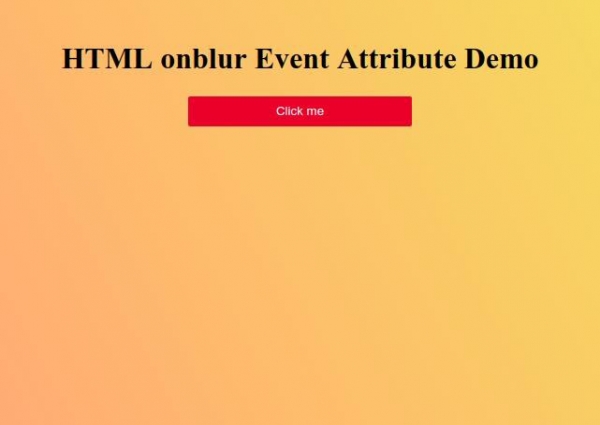
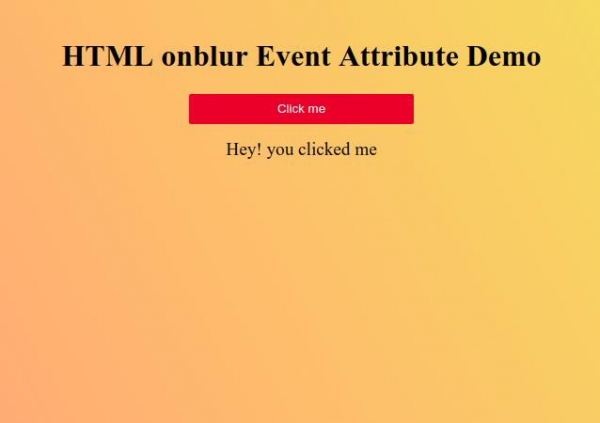
Click on “Click me” button to show some text.
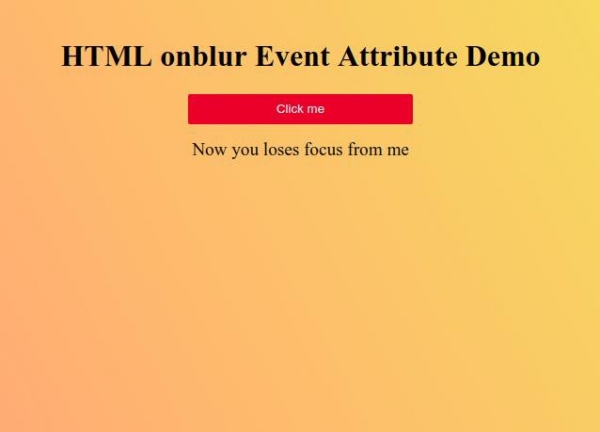
Now click somewhere else and you losses focus from the button.

Updated on: 2021-02-16T04:43:21+05:30
301 Views

Advertisements