
- Trending Categories
 Data Structure
 Networking
 RDBMS
RDBMS Operating System
 Java
Java MS Excel
 iOS
iOS HTML
HTML CSS
CSS Android
 Python
 C Programming
 C++
C++ C#
C# MongoDB
 MySQL
MySQL Javascript
 PHP
PHP Physics
 Chemistry
 Biology
 Mathematics
 English
 Economics
 Psychology
 Social Studies
 Fashion Studies
 Legal Studies
- Selected Reading
- UPSC IAS Exams Notes
- Developer's Best Practices
- Questions and Answers
- Effective Resume Writing
- HR Interview Questions
- Computer Glossary
- Who is Who
HTML Window pageXOffset Property
The HTML Window pageXOffset property returns the value in pixel the current document has been scrolled horizontally from the left corner.
Syntax
Following is the syntax −
window.pageXOffset
Let us see an example of HTML Window pageXOffset Property −
Example
<!DOCTYPE html>
<html>
<style>
   body {
      color: #000;
      height: 100vh;
      background-color: #8BC6EC;
      background-image: linear-gradient(135deg, #8BC6EC 0%, #9599E2 100%) no-repeat;
      text-align: center;
   }
   .btn {
      background: #db133a;
      border: none;
      height: 2rem;
      border-radius: 2px;
      width: 40%;
      display: block;
      color: #fff;
      outline: none;
      cursor: pointer;
      margin: 1rem auto;
   }
   .box {
      width: 1000px;
      height: 1000px;
      background: teal;
      color: #fff;
      font-size: 1.5rem;
      text-align: left;
      padding: 20px;
   }
</style>
<body>
<h1>HTML Window pageXOffset Property Demo</h1>
<button onclick="scrollFn()" class="btn">Scroll</button>
<button onclick="display()" class="btn">Show pageXOffset value</button>
<div class="box"></div>
<script>
   function display() {
      document.querySelector('.box').innerHTML = 'The value of pageXOffset is: ' + window.pageXOffset + 'px';
   }
   function scrollFn() {
      window.scrollBy(10, 0);
   }
</script>
</body>
</html>
Output
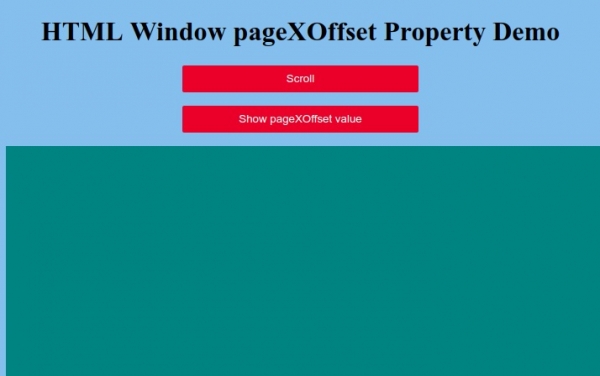
Click on “Show pageXOffset value” button to display the value of pageXOffset property:
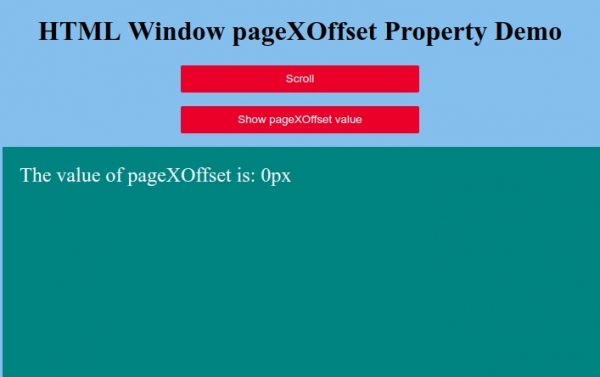
Now click on “Scroll” button to scroll the page −
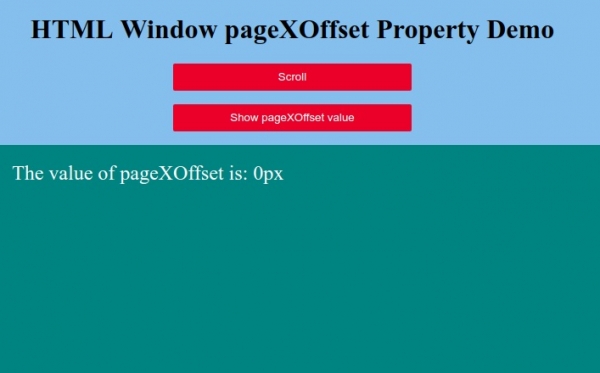
And then again click on “Show pageXOffset value” button to display the value of pageXOffset −


Updated on: 2019-10-01T11:24:46+05:30
164 Views

Advertisements