
- Trending Categories
 Data Structure
 Networking
 RDBMS
RDBMS Operating System
 Java
Java MS Excel
 iOS
iOS HTML
HTML CSS
CSS Android
 Python
 C Programming
 C++
C++ C#
C# MongoDB
 MySQL
MySQL Javascript
 PHP
PHP Physics
 Chemistry
 Biology
 Mathematics
 English
 Economics
 Psychology
 Social Studies
 Fashion Studies
 Legal Studies
- Selected Reading
- UPSC IAS Exams Notes
- Developer's Best Practices
- Questions and Answers
- Effective Resume Writing
- HR Interview Questions
- Computer Glossary
- Who is Who
jQuery Misc get() Method
The get() method in jQuery is used to get the DOM elements matched by the selector.
Syntax
The syntax is as follows −
$(selector).get(index)
Above, the index specifies which of the matching elements to get.
Let us now see an example to implement the jQuery get() method −
Example
<!DOCTYPE html>
<html>
<head>
<script src="https://ajax.googleapis.com/ajax/libs/jquery/3.4.1/jquery.min.js"></script>
<script>
   $(document).ready(function(){
      $("button").click(function(){
         var res = $("li").get(2);
         $("span").text(res.innerHTML);
      });
   });
</script>
</head>
<body>
<h2>Devices</h2>
<ol>
<li>TV</li>
<li>Laptop</li>
<li>Headphone</li>
<li>Earphone</li>
<li>SSD</li>
</ol>
<button>3rd li element</button><br>
<span></span>
</body>
</html>
Output
This will produce the following output −
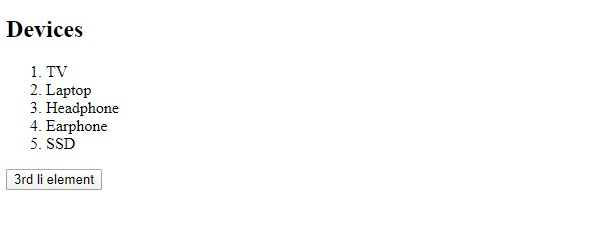
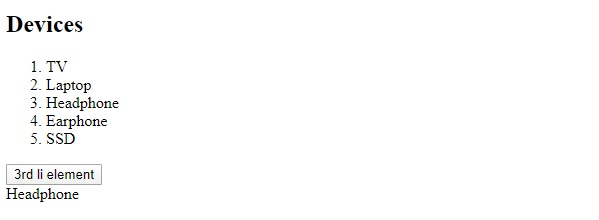
Now, click on the button −
Example
Let us now see another example −
<!DOCTYPE html>
<html>
<head>
<script src="https://ajax.googleapis.com/ajax/libs/jquery/3.4.1/jquery.min.js"></script>
<script>
   $(document).ready(function(){
      $("button").click(function(){
         var res = $("li").get(4);
         $("span").text(res.innerHTML);
      });
   });
</script>
</head>
<body>
<h2>Devices</h2>
<ol>
<li>TV</li>
<li>Laptop</li>
<li>Headphone</li>
<li>Earphone</li>
<li>SSD</li>
</ol>
<button>5th li element</button><br>
<span></span>
</body>
</html>
Output
This will produce the following output −
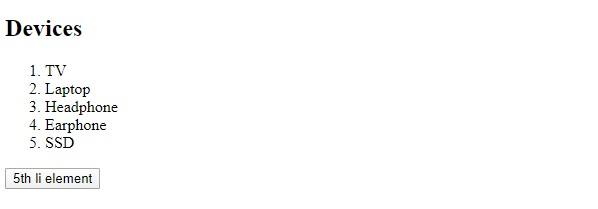
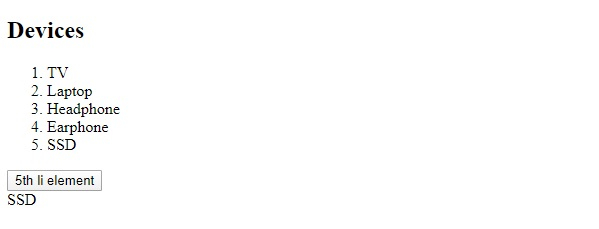
On clicking the 5th li element −

Updated on: 2019-12-31T09:33:09+05:30
139 Views

Advertisements