
- Trending Categories
 Data Structure
 Networking
 RDBMS
RDBMS Operating System
 Java
Java MS Excel
 iOS
iOS HTML
HTML CSS
CSS Android
 Python
 C Programming
 C++
C++ C#
C# MongoDB
 MySQL
MySQL Javascript
 PHP
PHP Physics
 Chemistry
 Biology
 Mathematics
 English
 Economics
 Psychology
 Social Studies
 Fashion Studies
 Legal Studies
- Selected Reading
- UPSC IAS Exams Notes
- Developer's Best Practices
- Questions and Answers
- Effective Resume Writing
- HR Interview Questions
- Computer Glossary
- Who is Who
jQuery removeData() with Examples
The removeData() method in jQuery is used to remove the data set with the data() method.
Syntax
The syntax is as follows −
$(selector).removeData(name)
Above, the name parameter is used to specify the name of the data to remove.
Example
Let us now see an example to implement the jQuery removeData() method −
<!DOCTYPE html>
<html>
<head>
<script src="https://ajax.googleapis.com/ajax/libs/jquery/3.4.1/jquery.min.js"></script>
<script>
   $(document).ready(function(){
      $(".button1").click(function(){
         $("div").data("student", "Jack Sparrow");
         alert("Student Name = " +$("div").data("student"));
      });
      $(".button2").click(function(){
         $("div").removeData("student");
         alert("Student Name = " +$("div").data("Jack Sparrow"));
      });
   });
</script>
<style>
.button1 {
   background-color: orange;
   color: white;
}
.button2 {
   background-color: orange;
   color: white;
}
</style>
</head>
<body>
<h2>Demo Heading</h2>
<button class="button1">Attach</button><br><br>
<button class="button2">Remove</button>
<div></div>
</body>
</html>
Output
This will produce the following output −
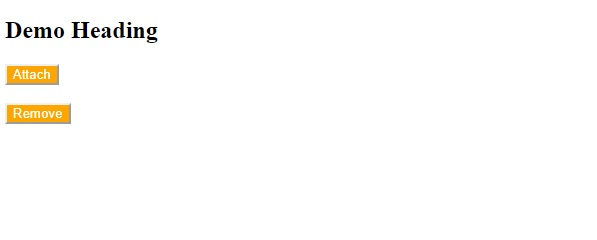
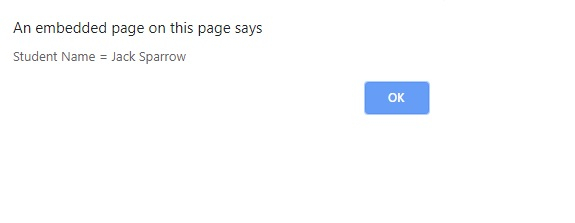
Now, click “Attach” to display data. The data would be visible on the alert box −
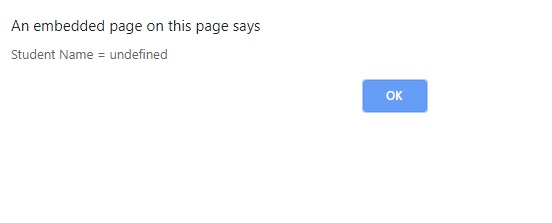
Click “Remove” to remove data. Now, the Student Name would be undefined −

Updated on: 2019-12-31T08:07:33+05:30
144 Views

Advertisements