
- Trending Categories
 Data Structure
 Networking
 RDBMS
RDBMS Operating System
 Java
Java MS Excel
 iOS
iOS HTML
HTML CSS
CSS Android
 Python
 C Programming
 C++
C++ C#
C# MongoDB
 MySQL
MySQL Javascript
 PHP
PHP Physics
 Chemistry
 Biology
 Mathematics
 English
 Economics
 Psychology
 Social Studies
 Fashion Studies
 Legal Studies
- Selected Reading
- UPSC IAS Exams Notes
- Developer's Best Practices
- Questions and Answers
- Effective Resume Writing
- HR Interview Questions
- Computer Glossary
- Who is Who
Keyboard shortcuts with Tkinter in Python 3
Tkinter window contains many inbuilt functionalities and features which can be taken and used for various application development. There might be cases when we have to run a particular part of the application with the help of some key or function. It can be achieved by binding a particular key with the callback that contains the functions for the operation. The key can be anything from Mouse Buttons to Keyboard Keys. We can even bind the callback with Keyboard Key Combinations.
Example
#Import the Tkinter Library
from tkinter import *

#Create an instance of Tkinter Frame
win = Tk()

#Set the geometry of window
win.geometry("700x350")

#Define a callback function for exit
def quit_program(e):
   win.destroy()

#Add a Label widget
label = Label(win, text= "Press Ctrl + x to Exit", font= ('Helvetica 15 bold'))
label.pack(pady= 40)

#Bind the Keyboard shortcut Key
win.bind('<Control-x>', quit_program)
win.mainloop()
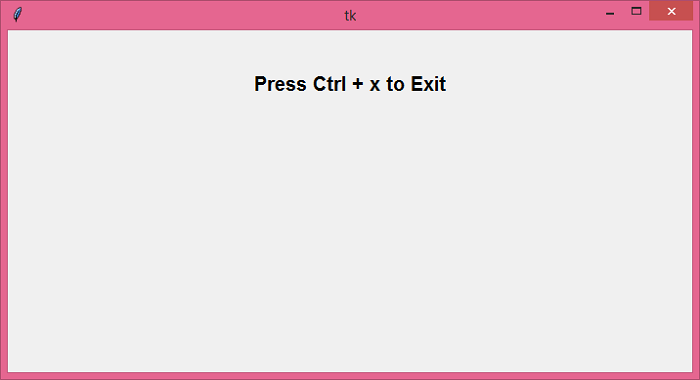
Output
In the above code, we have added a combination of Keys. Pressing the keys will close the window.

Updated on: 2021-05-26T12:01:30+05:30
5K+ Views

Advertisements