

Create Social Media Website Using React
Create Social Media Website Using React
 Updated on Oct, 2026
 Language - English
 Programming,Web Development,ReactJS
Lectures -107
Resources -1
Duration -13 hours
Lifetime Access

Lifetime Access
30-days Money-Back Guarantee
Get your team access to 10000+ top Tutorials Point courses anytime, anywhere.
Course Description
This course will teach you How to Build a Social Media App Using React.
React is one of the best frameworks to use for building apps. In this course, I'm going to take you on a trip to learn React Native by building a social media web app. I'm going to start by showing you how to install React all the way to the end, where you will have to create a complete app. So by the end of this course, you will have built a social media web app using React. And your React skills will be robust
Why should you take this course?
There are many reasons why this course is extremely important.
First and most prominently is that you will learn how to build a social media web app.
Secondly, you will improve your Java skills by creating a complete project.
Third, you can highlight this particular skill in your CV, which would potentially make you stand out from the crowd.
What you will learn in this course?
- How to install React.
- How to get started with React.
- How to create account
- how to follow others
- And much more...
Goals
- To Build Social Media Website Using React
Prerequisites
- Internet connection
- Windows or MAC

Curriculum
Check out the detailed breakdown of what’s inside the course
Course Content
106 Lectures
-
 Introduction
01:38
01:38
Introduction
01:38
01:38
-
React intall
07:45
07:45
-
Project structure
06:07
06:07
-
Watch react
01:29
01:29
-
Firebase config
04:03
04:03
-
Installing material ui
11:49
11:49
-
Login page design
08:35
08:35
-
Getting login input
03:47
03:47
-
Firebase login
17:25
17:25
-
Auth provider
11:44
11:44
-
Creating home component
08:17
08:17
-
Auth context
07:45
07:45
-
Sign out
04:31
04:31
-
Sign up
09:43
09:43
-
React router lib
06:28
06:28
-
React bootstrap installation
04:37
04:37
-
React bootstrap navbar
07:50
07:50
-
Navbar design
15:32
15:32
-
Get posts
17:46
17:46
-
Firebase table structure
04:21
04:21
-
Get posts from firebase
09:11
09:11
-
Posts table keys
04:20
04:20
-
Create post ui
13:51
13:51
-
Create post with firebase
11:11
11:11
-
Create post loading spinner
10:47
10:47
-
Create post validation method
07:09
07:09
-
Firebase storage
01:02
01:02
-
Upload post image
13:04
13:04
-
Upload post image 1
03:32
03:32
-
Upload post image 2
03:47
03:47
-
Store upload image url
09:56
09:56
-
Get posts with images
04:00
04:00
-
Sign up with more info 1
09:39
09:39
-
Sign up with more info 2
15:39
15:39
-
Go from sign up to login
03:31
03:31
-
User list 1
02:04
02:04
-
User list 2
09:49
09:49
-
User list 3
05:42
05:42
-
User Component
08:48
08:48
-
User profile link
06:07
06:07
-
Other user profile component
06:28
06:28
-
Other user profile design 1
08:14
08:14
-
Other user profile design 2
05:52
05:52
-
Other uer profile design 3
03:28
03:28
-
Other uer profile design 4
06:19
06:19
-
Check friendship status 1
11:54
11:54
-
Check friendship status 2
10:41
10:41
-
Friendship button event
04:41
04:41
-
Send friend request
15:29
15:29
-
Accept friend requests
10:24
10:24
-
Profile images
02:36
02:36
-
Cancel request
09:35
09:35
-
Remove friend
05:25
05:25
-
Hide current user
04:06
04:06
-
Hide current user from users list
04:06
04:06
-
Current user profile 1
06:48
06:48
-
Current user profile 2
08:29
08:29
-
Get current user info
10:13
10:13
-
Upload profile image 1
03:49
03:49
-
Upload profiel image 2
14:46
14:46
-
Spinner in upload profile image
08:44
08:44
-
Restrict type of file
03:56
03:56
-
Update user info
15:35
15:35
-
Placeholder in login
01:04
01:04
-
After alert updating
11:04
11:04
-
Get posts created by friends 1
09:37
09:37
-
Get posts created by friends 2
08:29
08:29
-
Post creator
07:52
07:52
-
Substring post text
04:42
04:42
-
Full post component
07:59
07:59
-
Full post design
10:43
10:43
-
List group comments 1
02:36
02:36
-
List group comments 2
04:50
04:50
-
Send comment design
04:22
04:22
-
Send comment function 1
07:52
07:52
-
Send comment function 2
05:09
05:09
-
Get comments
12:58
12:58
-
Hide delete edit button
04:11
04:11
-
Delete comments
06:12
06:12
-
My Posts
07:46
07:46
-
Like posts
06:09
06:09
-
Did user like post
09:20
09:20
-
Change like icon color
01:41
01:41
-
Unlike posts
08:29
08:29
-
Find number of likes
04:34
04:34
-
Edit comment design
08:55
08:55
-
Edit comment
09:52
09:52
-
Friends list 1
08:57
08:57
-
Friends list 2
04:06
04:06
-
Protect other user profile
05:34
05:34
-
Freind requests list 1
11:53
11:53
-
Freind requests list 2
05:13
05:13
-
Accept reject request 1
04:26
04:26
-
Accept reject request 2
09:17
09:17
-
Freind request design
02:29
02:29
-
Messages design
10:32
10:32
-
Send messages 1
11:27
11:27
-
Send messages 2
04:42
04:42
-
Get conversation
20:37
20:37
-
Get to main route after signout
03:23
03:23
-
Improving user friends ui design
03:29
03:29
-
Post date
06:58
06:58
-
Make friend request user friendly
10:08
10:08
-
Header component 1
03:38
03:38
-
Header component 2
02:08
02:08
-
Final look
05:18
05:18
Project files
1 Lectures

Instructor Details

Mustafa Alawi
Mustafa Alawi is a knowledgeable instructor with expertise in information technology and software development. He is passionate about sharing practical skills and real-world insights, helping learners easily understand technical concepts and apply them effectively in their careers.
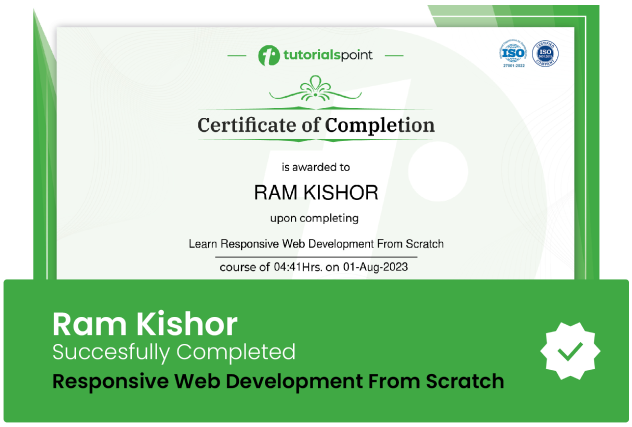
Course Certificate
Use your certificate to make a career change or to advance in your current career.
Our students work
with the Best

















Related Video Courses
View MoreAnnual Membership
Become a valued member of Tutorials Point and enjoy unlimited access to our vast library of top-rated Video Courses
Subscribe now
Online Certifications
Master prominent technologies at full length and become a valued certified professional.
Explore Now